Skip to content
Project Desk

Project Desk

  • All Articles
  • App
  • Coding
  • Hardware
  • More
    • Operating System
    • Outlook
    • PowerPoint
    • Review
    • Software
    • Tip & Trick
    • Troubleshooting
    • Windows

Tip & Trick — Page 3

How to Move Emails to Spam: One-Click Filtering for Clean Inbox

October 12, 2026 by Colleen Radcliffe
How to Move Emails to Spam: One-Click Filtering for Clean Inbox

To move emails to spam, you don’t need to be a tech whiz—just follow these simple steps that I’ve used to clean up inboxes for clients and myself. ✨ The process varies slightly depending on your email client, but the…

Read more

Categories Tip & Trick

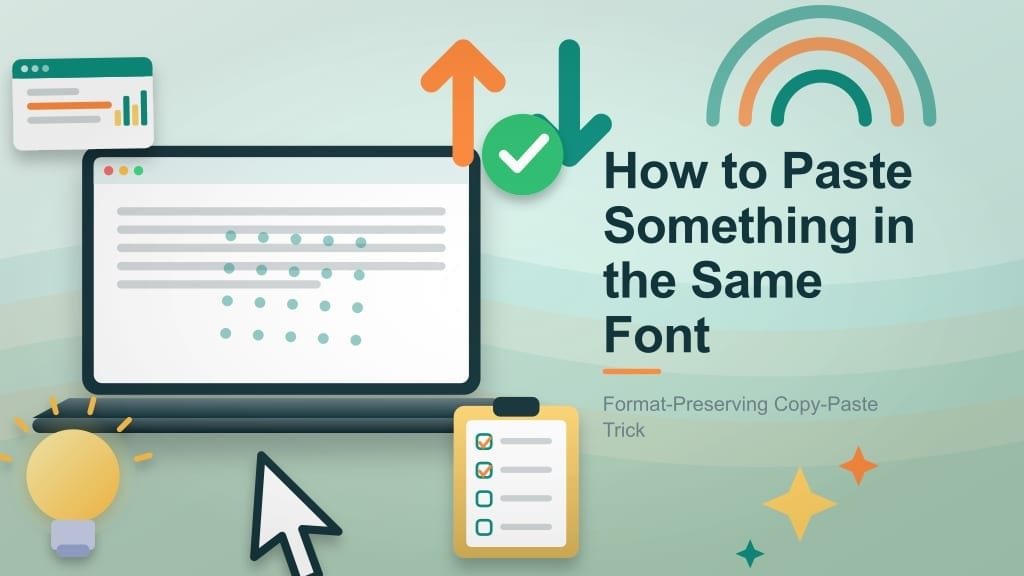
How to Paste Something in the Same Font: Format-Preserving Copy-Paste Trick

November 20, 2026 by Colleen Radcliffe
How to Paste Something in the Same Font: Format-Preserving Copy-Paste Trick

Learn how to paste something in the same font without the hassle—Ctrl+Shift+V is the trick that saved me endless reformatting in Word and Docs. 💡 The solution? A simple keyboard shortcut that preserves everything from…

Read more

Categories Tip & Trick

How to Reinstall Network Adapter Driver: One-Click Fix for Stubborn Connection Issues

October 6, 2026 by Colleen Radcliffe
How to Reinstall Network Adapter Driver: One-Click Fix for Stubborn Connection Issues

My network adapter driver just died on me—again—and this time, I wasn’t letting it ruin my workday. ✨ Reinstalling the driver isn’t just about restoring Wi-Fi; it’s about fixing the hidden software layer that keeps your…

Read more

Categories Tip & Trick

How to Send a Reminder Email: Automated Follow-Ups in Outlook Without Errors

November 11, 2026 by Colleen Radcliffe
How to Send a Reminder Email: Automated Follow-Ups in Outlook Without Errors

Sending reminder emails used to mean manually typing the same message over and over—until Outlook's built-in tools changed everything. ⚡ I've automated follow-ups for clients, team projects, and even my own deadlines…

Read more

Categories Tip & Trick

How to Set Up a Conference Call: Quick Dial-In Guide for Smooth Virtual Meetings

October 10, 2026 by Colleen Radcliffe
How to Set Up a Conference Call: Quick Dial-In Guide for Smooth Virtual Meetings

Setting up a conference call used to feel like navigating a maze of buttons and hold music. ⚡ After helping my dad troubleshoot his first IBM video conference in the '90s—yes, we used actual phone lines—I’ve since…

Read more

Categories Tip & Trick

How to Set Up a Teams Live Event: Zero-Latency Production in Minutes

October 13, 2026 by Colleen Radcliffe
How to Set Up a Teams Live Event: Zero-Latency Production in Minutes

Setting up a Teams live event used to feel like juggling flaming swords—until I cracked the workflow last year. ✨ The secret isn't the software (though it's improved), but knowing the exact order to configure everything…

Read more

Categories Tip & Trick

How to Set Up Background in Microsoft Teams: Blurred Virtual Backdrop for Focused Calls

October 13, 2026 by Colleen Radcliffe
How to Set Up Background in Microsoft Teams: Blurred Virtual Backdrop for Focused Calls

Setting up a virtual background in Microsoft Teams is the quickest way to keep your workspace private during calls—no fancy equipment needed. ⚡ I’ve used this feature for years, from my uncle’s basement workshop to…

Read more

Categories Tip & Trick

How to Set up Email on Android: Quick Sync in Under 2 Minutes

October 10, 2026 by Colleen Radcliffe
How to Set up Email on Android: Quick Sync in Under 2 Minutes

Setting up email on Android used to take forever—until I figured out the two-minute sync method that works for any account. ✨ The trick is knowing which settings to skip and where to find them, even if you’re staring at…

Read more

Categories Tip & Trick

How to Set up Ergonomic Workstation: Pain-Free Posture in 15 Minutes

October 11, 2026 by Colleen Radcliffe
How to Set up Ergonomic Workstation: Pain-Free Posture in 15 Minutes

Setting up an ergonomic workstation isn’t just about comfort—it’s about transforming how your body interacts with technology. ✨ I spent years hunched over a desk before realizing my posture was costing me more than just…

Read more

Categories Tip & Trick

How to Set up Microsoft 365 Email on Iphone: Iphone Sync in 5 Simple Steps

November 18, 2026 by Colleen Radcliffe
How to Set up Microsoft 365 Email on Iphone: Iphone Sync in 5 Simple Steps

Setting up Microsoft 365 email on your iPhone used to feel like navigating a maze, but today it’s shockingly straightforward—especially with iOS 16+. ⚡ I’ve walked through this process myself on every major iPhone model…

Read more

Categories Tip & Trick
Page1Page2Page3Page4Page5Page6Next →

About Me

Colleen Radcliffe

Colleen Radcliffe
I still remember the first time my dad let me disassemble his old desktop computer when I was 12—it was chaos, but that moment sparked a lifelong fascination with how machines work. Now, I run Project Desk to break down tech in a way that’s practical, honest, and free from jargon. Whether it’s troubleshooting a stubborn PC or reviewing the latest gadget, I’m here to make tech less intimidating for everyone.

Learn more

Recent Posts

  • Bluetooth Drivers Download for Windows 8: Instant Fix for Stubborn Connection Issues
    Bluetooth Drivers Download for Windows 8: Instant Fix for Stubborn Connection Issues
  • PowerPoint for iPad: Step-by-Step Download and Setup Guide
    PowerPoint for iPad: Step-by-Step Download and Setup Guide
  • How to Download Video From Stream: Instant Save Without Buffering or Watermarks
    How to Download Video From Stream: Instant Save Without Buffering or Watermarks
  • Microsoft Support and Recovery Assistant Download: Legacy System Compatibility Fixes
    Microsoft Support and Recovery Assistant Download: Legacy System Compatibility Fixes
  • Quick Assist Download for Windows 10: Instant Tech Support Without Sync Delays
    Quick Assist Download for Windows 10: Instant Tech Support Without Sync Delays
  • All Guides
  • About
  • Contact
  • Privacy Policy
  • Cookie Policy
  • Terms of Use
© 2026 projectdesk.work