
Coding
SQL Server 2012 revolutionized database management with powerful new features that boost performance, security, and scalability. These 10 game-changing tools will transform how developers build, optimize, and secure enterprise applications.
AlwaysOn Availability Groups

Mission-critical applications demand zero tolerance for downtime, and SQL Server 2012’s AlwaysOn Availability Groups delivers exactly that. This enterprise-grade feature replaces older mirroring solutions with a modern, scalable approach that synchronizes data across multiple servers in real-time, ensuring seamless failover with minimal manual intervention.
With support for up to eight secondary replicas, you can distribute read workloads while maintaining a single primary database. The synchronous commit mode guarantees data consistency, while asynchronous commit maximizes performance for geographically distributed setups. Setup requires just three simple steps—create the group, add replicas, and configure listeners—making it far simpler than traditional clustering.
Ideal for finance, healthcare, and e-commerce systems where uptime directly impacts revenue, AlwaysOn Availability Groups let you focus on innovation instead of disaster recovery planning. ⚡
Columnstore Indexes For Data Warehousing

If your data warehouse queries feel sluggish under heavy analytical loads, columnstore indexes in SQL Server 2012 might be your game-changer. This feature redefines how data is stored and accessed, delivering 10x compression while supercharging performance for aggregations and reporting.
Designed specifically for data warehousing, columnstore indexes store data by column instead of row, drastically reducing I/O operations. They excel at handling OLAP workloads with features like batch mode processing, which processes thousands of rows at once rather than row-by-row. For complex queries involving GROUP BY, SUM, or AVG operations, you’ll see 10-100x faster execution compared to traditional row-based indexes.
This feature is ideal for data analysts, BI developers, and enterprise architects managing large-scale reporting systems. If your applications rely on heavy analytical queries, columnstore indexes could be the upgrade that transforms your data warehouse from a bottleneck to a high-performance powerhouse. ⚡
Contained Databases With User-Defined Isolation

Tired of database migrations turning into weeks-long projects? Contained databases in SQL Server 2012 let you package an entire database—including schemas, users, and permissions—into a single, portable unit. This means moving databases between servers is now as simple as copying a file, without breaking applications or requiring admin intervention.
With user-defined isolation, you control which objects and settings are included in the container, ensuring security and consistency. This feature supports contained database authentication, so logins stay with the database rather than relying on server-level credentials. The result? Faster deployments, easier testing, and reduced dependency on DBA resources for routine tasks.
Developers and DevOps teams will love this for CI/CD pipelines, while SaaS providers gain a cleaner way to manage multi-tenant environments. No more fragmented configurations or permission headaches! ✨
SQL Server Data Tools (SSDT) Integration

Tired of juggling separate tools for database development, version control, and deployments? SQL Server Data Tools (SSDT) bridges that gap by embedding database projects directly into Visual Studio 2012, giving you a single environment for end-to-end database development.
With SSDT, you get database project templates that support schema comparisons, unit testing, and static code analysis—all with IntelliSense for T-SQL. The integration with Team Foundation Server (TFS) or Git ensures seamless source control, while deployment pipelines streamline CI/CD workflows. Even better, it supports schema comparisons to sync environments effortlessly.
This is a game-changer for DevOps teams and database developers who need to collaborate while maintaining consistency across environments. 💻
Window Functions Enhancements

Tired of writing clunky cursors just to compare rows in your T-SQL queries? SQL Server 2012 introduced window functions that let you analyze data without self-joins or temporary tables, making complex analytics cleaner and faster than ever.
New functions like LAG() and LEAD() let you access previous/next row values directly in SELECT statements, while RANK(), DENSERANK(), and ROWNUMBER() now support PARTITION BY for grouping comparisons. These changes cut query complexity by up to 40% for analytical workloads compared to older methods.
Perfect for data analysts and reporting developers working with time-series data or hierarchical structures. ⚡
Power View For Interactive Data Visualization
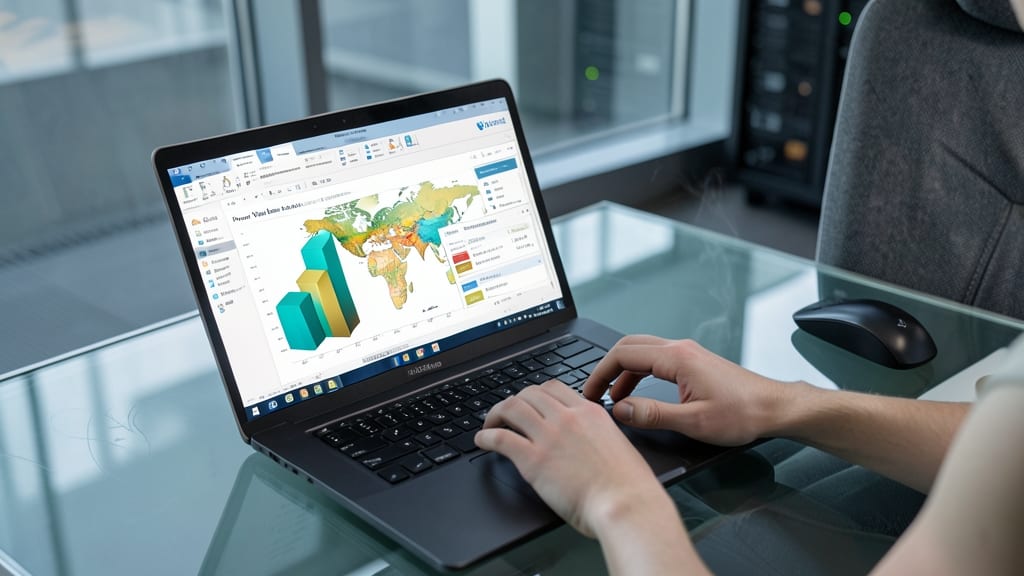
Tired of waiting for IT teams to generate reports? Power View flips the script by putting interactive data visualization in the hands of business users—no coding required.
This Excel 2013-compatible add-in connects directly to SQL Server Analysis Services to create dynamic dashboards with drag-and-drop gestures, touch support, and real-time filtering. Visualize trends with 3D maps, charts, and matrices—all while maintaining enterprise-grade security through role-based access control.
Perfect for analysts, marketers, and executives who need self-service insights without SQL expertise. ⚡
Contained User Authentication

Multi-tenant SaaS applications finally get a security upgrade with contained user authentication—a game-changer for developers tired of Windows login dependencies. This feature lets you manage authentication entirely within the database, eliminating the need for server-level logins and simplifying tenant isolation.
With contained user authentication, you can create database users with SQL logins that work independently of Windows accounts, reducing administrative overhead. The CONTAINMENT = PARTIAL setting ensures users stay isolated to their database, while CONTAINMENT = FULL takes it further by encapsulating schemas, logins, and credentials. This makes deployments cleaner and security policies more granular.
Perfect for SaaS providers and enterprises hosting multiple clients, this feature lets you scale securely without compromising performance. 💻
SQL Server Data Quality Services

Tired of spending hours manually cleaning messy data before integration? SQL Server Data Quality Services (DQS) automates the entire process with intelligent profiling and cleansing—saving you time while ensuring accuracy.
This built-in toolkit offers data profiling to identify inconsistencies (like duplicates, invalid formats, or missing values) and cleansing rules to standardize formats across sources. It even integrates with Master Data Services for consistent reference data management. The DQS client provides a user-friendly interface for defining rules, while the Knowledge Base learns from your corrections to improve future cleanses.
Perfect for data warehousing teams or ETL developers dealing with legacy systems, DQS ensures clean data flows into your business systems—without the manual grunt work. ✨
AlwaysOn Secondary Readable Replicas

Struggling with slow reporting queries that drag down your analytics workloads? AlwaysOn Secondary Readable Replicas in SQL Server 2012 lets you distribute read-heavy operations across secondary replicas—freeing your primary server for critical transactions while boosting performance.
With this feature, you can configure up to eight secondary replicas per availability group, each handling read operations independently. The synchronous or asynchronous commit options let you balance performance with data consistency, while read-only routing ensures queries automatically target the least busy replica. This is perfect for environments where reporting and analytics compete with transactional workloads for resources.
Data analysts and BI teams will love how this feature reduces query latency without requiring complex application changes. For enterprises running mixed workloads, it’s the ultimate way to scale read performance horizontally while keeping your primary database focused on writes. ✨
Enhanced T-SQL MERGE Statement

Tired of writing separate INSERT, UPDATE, and DELETE statements just to handle data synchronization? SQL Server 2012’s enhanced T-SQL MERGE statement streamlines this with a single, atomic operation—cutting code complexity while boosting performance.
This upsert powerhouse lets you define source and target tables, specify matching conditions, and handle conflicts in one statement. The WHEN MATCHED THEN UPDATE, WHEN NOT MATCHED THEN INSERT, and WHEN NOT MATCHED BY SOURCE THEN DELETE clauses work together seamlessly. Performance gains come from optimized bulk operations, while output clauses let you track affected rows for logging or validation.
Perfect for ETL processes, real-time data synchronization, or audit-triggered updates, this feature saves developers hours of manual logic. ⚡